Generic template
Hi, I came across your profile and was impressed by your background. I think we could benefit from connecting. Would love to add you to my network. Best regards
- Could be sent to anyone
- Says nothing specific
- Reads as a mass send
AI-Powered LinkedIn Outreach
ReachDraft reads the profile you are looking at and drafts a connection request, message, reply, or email that references their actual work. No templates, no blank page.
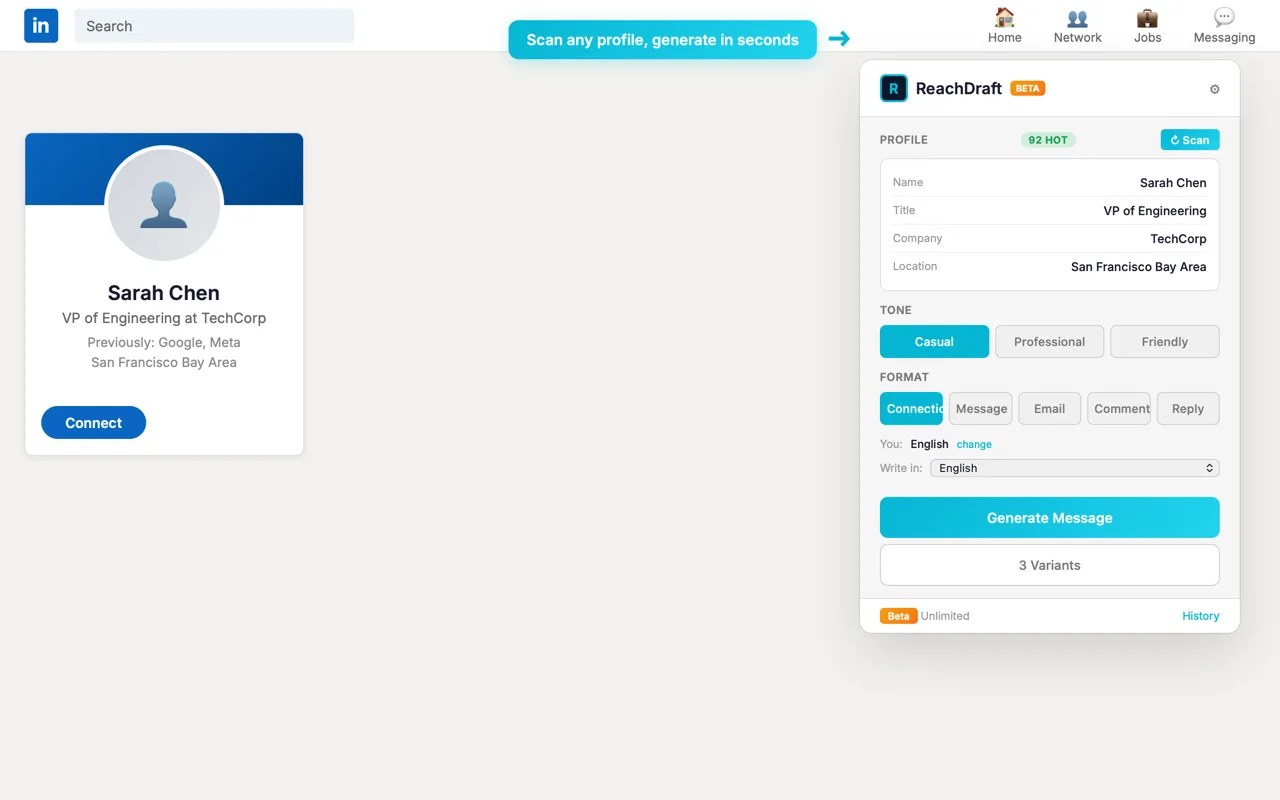
Same prospect, same thirty seconds of effort. One of these gets ignored.
Hi, I came across your profile and was impressed by your background. I think we could benefit from connecting. Would love to add you to my network. Best regards
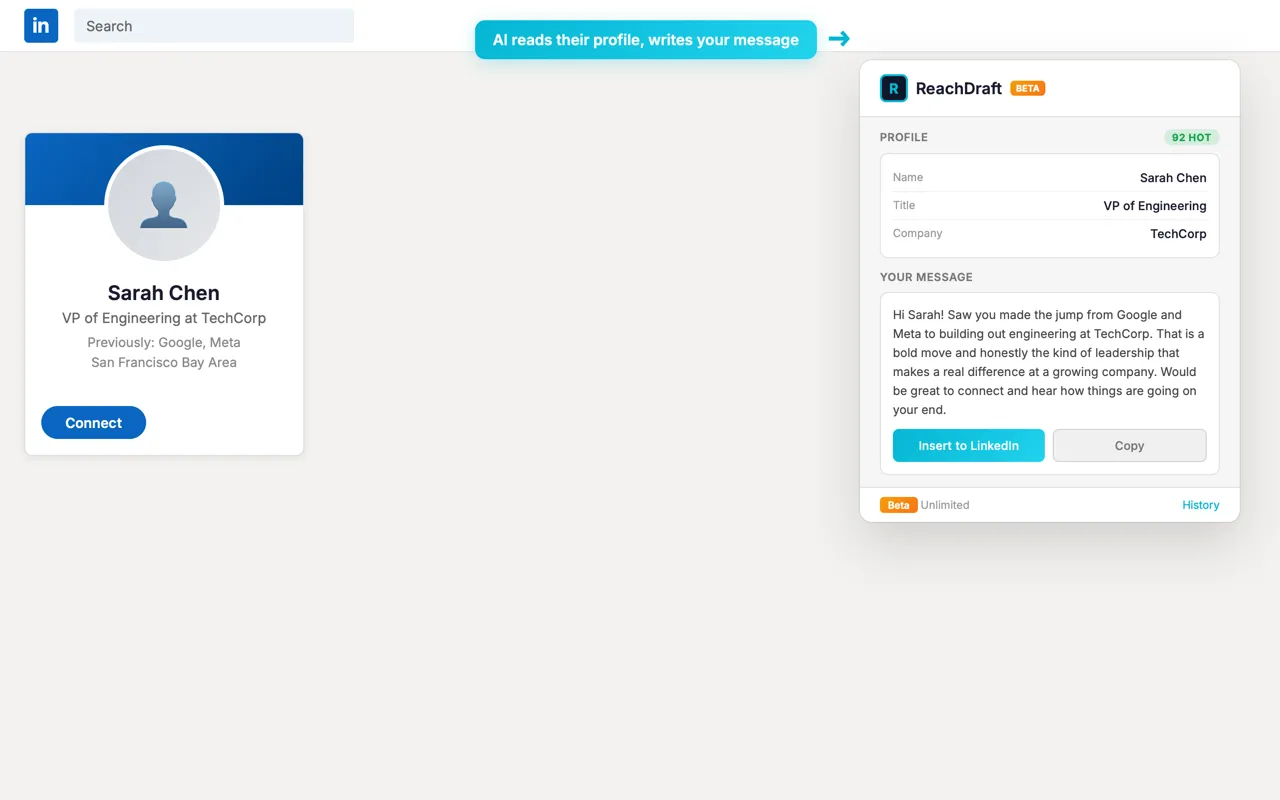
Hi Sarah, your move from Google and Meta into leading engineering at TechCorp caught my eye. I'd like to hear how you're shaping the engineering culture there. Always good to compare notes with other tech leads in the Bay Area.
One workflow for sales, recruiting, job search, and partnerships, without switching tools between them.
Pulls role, company, headline, and recent activity from the profile you are on, so the message references something real instead of a placeholder.
Trained away from the usual tells. It can also learn your voice from your own LinkedIn posts so your outreach keeps sounding like you wrote it.
Connection requests, direct messages, replies, comments, and follow-up emails from one place.
Get three distinct approaches per prospect and send the one that fits.
Drops straight into the LinkedIn message box. No tab-switching, no clipboard.
We do not sell prospect data or build third-party lead lists from your activity.
Four steps, all of them inside the tab you are already in.
Any LinkedIn profile: a buyer, a candidate, a hiring manager, a founder, a potential partner.
The panel scans the profile and pulls the details worth mentioning.
Choose connection request, message, or email. Pick a tone, and add context like a role you are hiring for or a post of theirs you read.
Edit if you want, then drop it straight into the message box without leaving the page.
Five things people do with ReachDraft most days. Pick one.
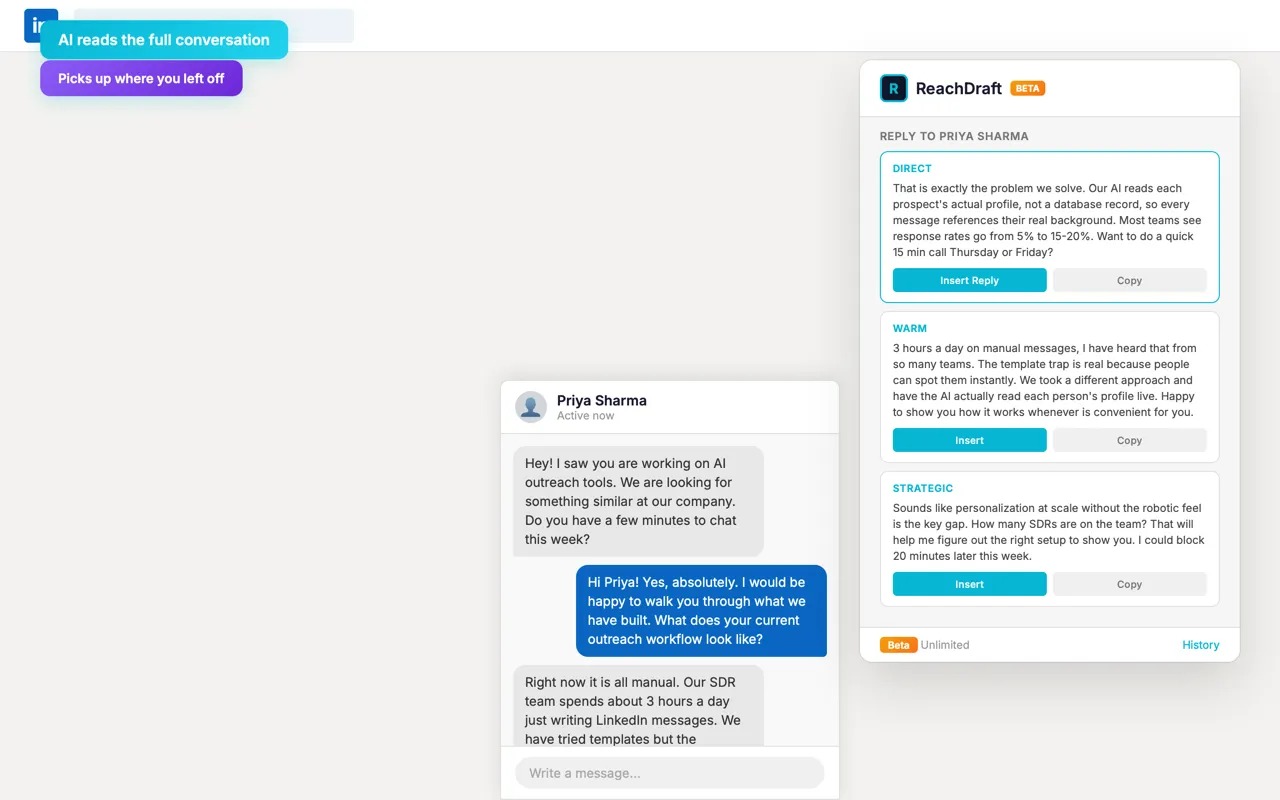
Opens the conversation you are already in, reads what was said, and picks up where you left off instead of starting over.
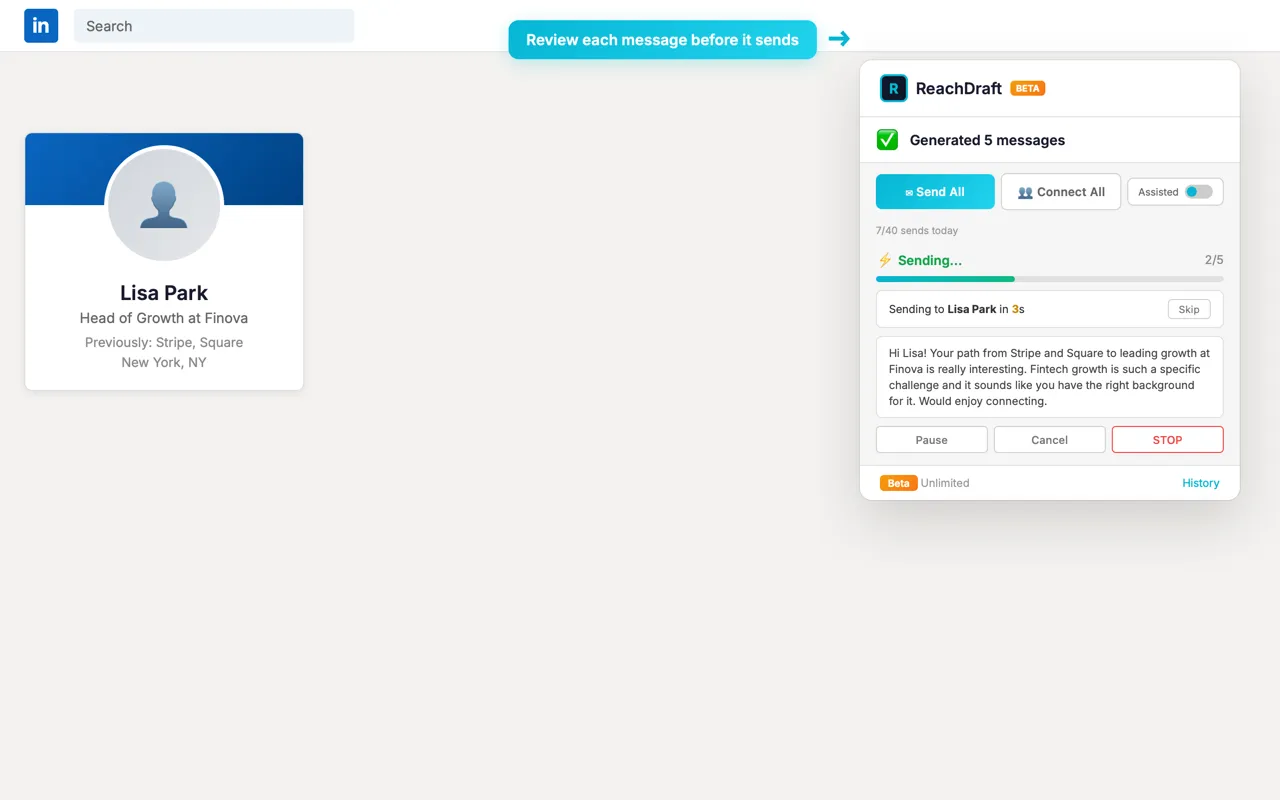
Select the profiles from a LinkedIn search and generate for all of them in one pass, rather than opening tabs one at a time.
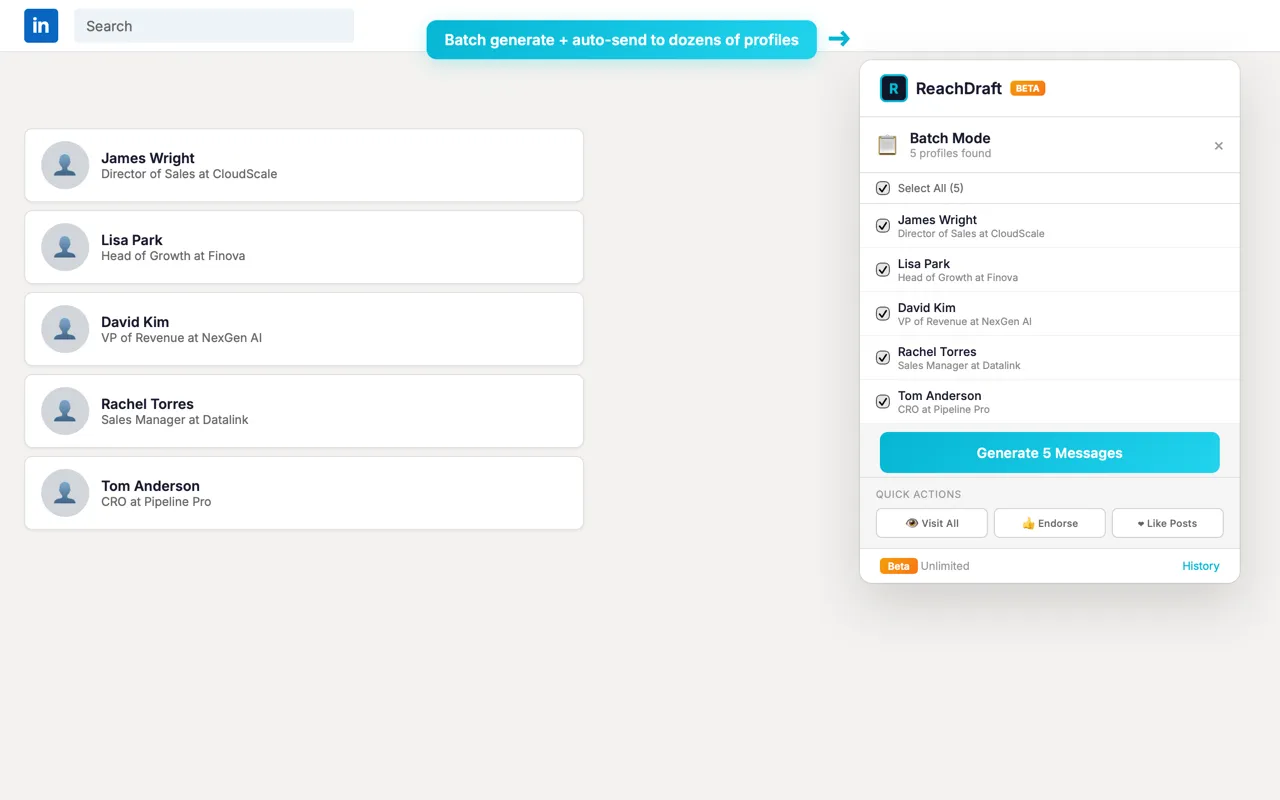
Each message pauses with a countdown so you can read it, skip it, or stop the run before anything is sent.
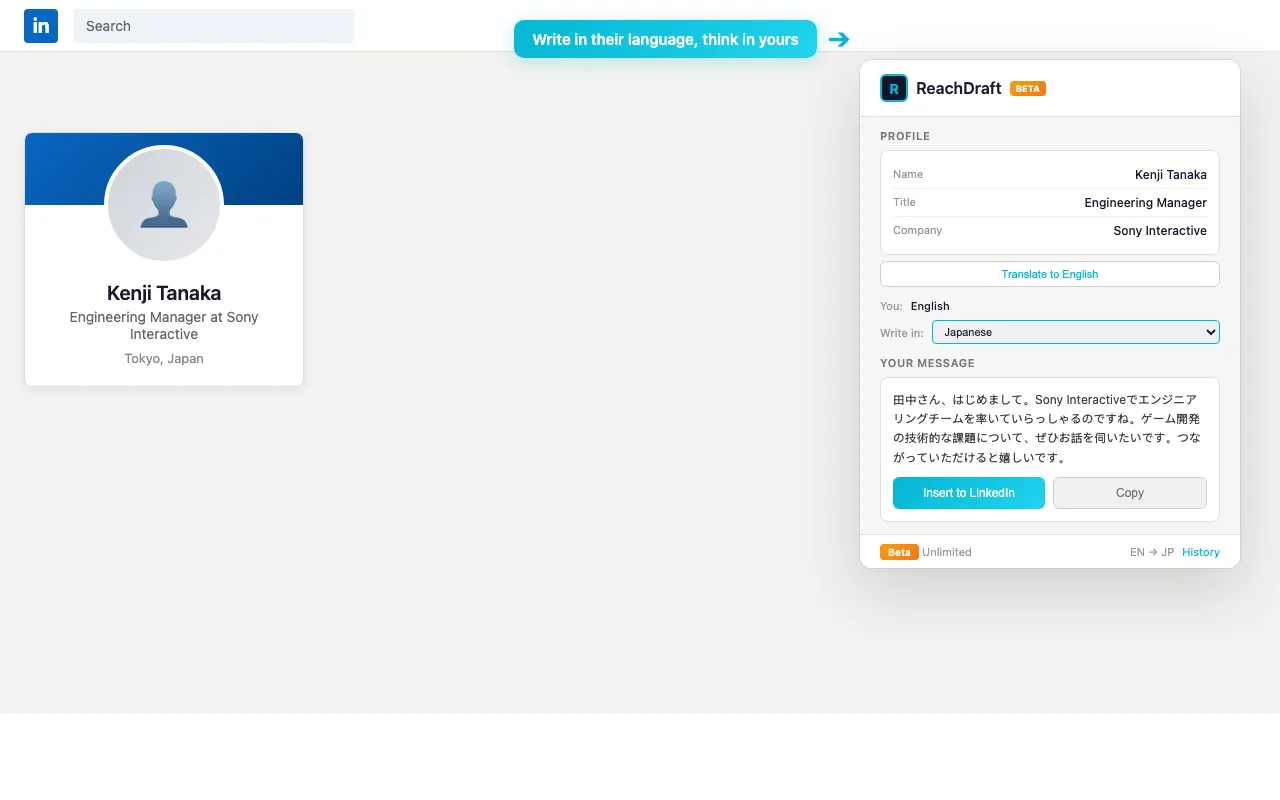
Reach people in the language they actually work in, while you keep reading and editing in yours.
The same panel, pointed at whatever kind of conversation you need to start.
Open more conversations without the copy-paste sequence everyone recognises.
Reach passive candidates with a note that shows you read their profile.
Get past the "I saw your posting" opener when you contact a hiring manager.
Do founder-led outreach at volume without it reading like a blast.
It reads the LinkedIn profile you're viewing and pulls the role, company, headline, and recent posts, then writes a message that references their actual work rather than filling in a template.
No. ReachDraft is trained to avoid the usual tells, including em dashes and corporate filler. It can also learn your writing style from your own LinkedIn posts so the result matches your voice.
ReachDraft uses profile and conversation context to generate messages, replies, comments, and translations. We do not sell your prospect data or build third-party lead databases from your activity.
Yes. ReachDraft is free and unlimited while it is in beta, with no credit card required.
Yes. It works for sales outreach, recruiting, job search, networking, partnerships, and founder-led prospecting. The value is better LinkedIn outreach generally, not sales automation specifically.
Install the Chrome extension, open any LinkedIn profile, click the ReachDraft icon, and generate your first message. It takes under a minute.
Install it, open the profile you were already going to message, and see what it writes. Free and unlimited while ReachDraft is in beta.
Add to Chrome - FreeNo credit card. Works on any LinkedIn profile.
Comment before you pitch
Write a thoughtful comment on their post to get on someone’s radar first. Three angles to choose from: insightful, personal, or curious.